Search Your Query

All Cart

Cart

Explore our diverse range of IPTV pricing plans tailored to fit Every need & budget

images images
TESTING

Start now. Don’t hasitate to test our service

Test account. Get full access to all channels and VOD

Free Trial / 24 Hour

Free Trial Option For 24 Hrs

Images
PRICING PLANS

Our Affordable Pricing Plans

Get Premium Server For $10/Month
1 Month

$10 USD

One-Time Payment • Cancel Anytime
  • Works on Any Device
  • 22 000+ TV Channels
  • 120 000+ Movies & Series
  • TV Guide (EPG)
  • Anti-Freeze Technology
  • PPV & 24/7 Channles
  • Customizable Packages
  • Support 24/7
Subscribe Now
Premium Server For $25 / 3 Months
3 Months

$25 USD

One-Time Payment • Cancel Anytime
  • Works on Any Device
  • 22 000+ TV Channels
  • 120 000+ Movies & Series
  • TV Guide (EPG)
  • Anti-Freeze Technology
  • PPV & 24/7 Channles
  • Customizable Packages
  • Support 24/7
Subscribe Now
Premium Server For $45 / 6 Months
6 Months

$45 USD

One-Time Payment • Cancel Anytime
  • Works on Any Device
  • 22 000+ TV Channels
  • 120 000+ Movies & Series
  • TV Guide (EPG)
  • Anti-Freeze Technology
  • PPV & 24/7 Channles
  • Customizable Packages
  • Support 24/7
Subscribe Now
Premium Server For $70 / 12 Months
12 Months

$70 USD

One-Time Payment • Cancel Anytime
  • Works on Any Device
  • 22 000+ TV Channels
  • 120 000+ Movies & Series
  • TV Guide (EPG)
  • Anti-Freeze Technology
  • PPV & 24/7 Channles
  • Customizable Packages
  • Support 24/7
Subscribe Now

100% money-back guarantee for your first 24 Hours.

Get Free Assistance Now

New to IPTV! I'll Guide You

Confused? 🤔

Subscribe now for personalized assistance.

Subscribe to get the Details →

Confused? 🤔

Subscribe now for personalized assistance.

Guide for android box with play store →

Confused? 🤔

Subscribe now for personalized assistance.

Subscribe to get the Details →
How To Setup IPTV On Apple/IOS With IPTV Smarters Player

Step 1: Start by downloading IPTV Smarters app from the Apple Store through this URL:
https://apps.apple.com/in/app/smarters-player-lite/id1628995509

Or you can search for it on the App Store [Smarters Player Lite].

Install the app on your iOS device.

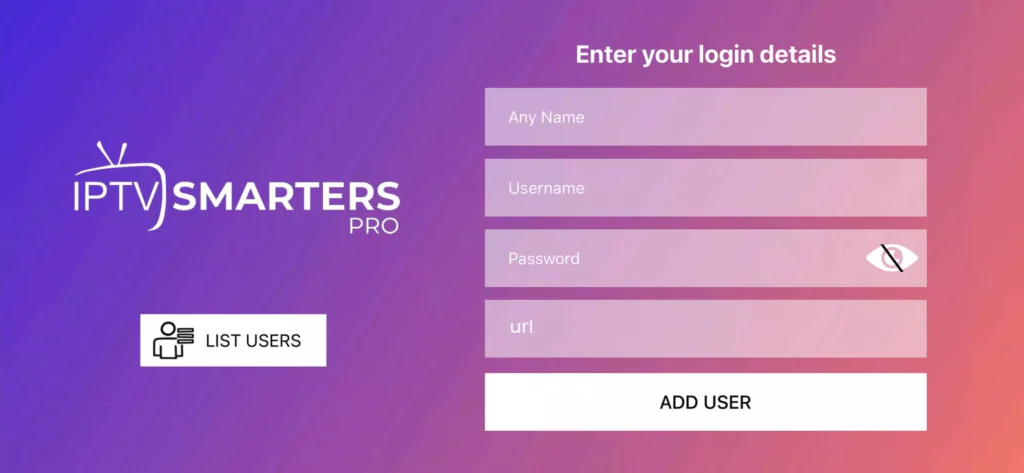
Step 2: Open the app once downloaded and enter the login details.

IPTV Smarters Player Login

Step 3: Enter the login details provided after your subscription.

Step 4: Wait a few seconds.

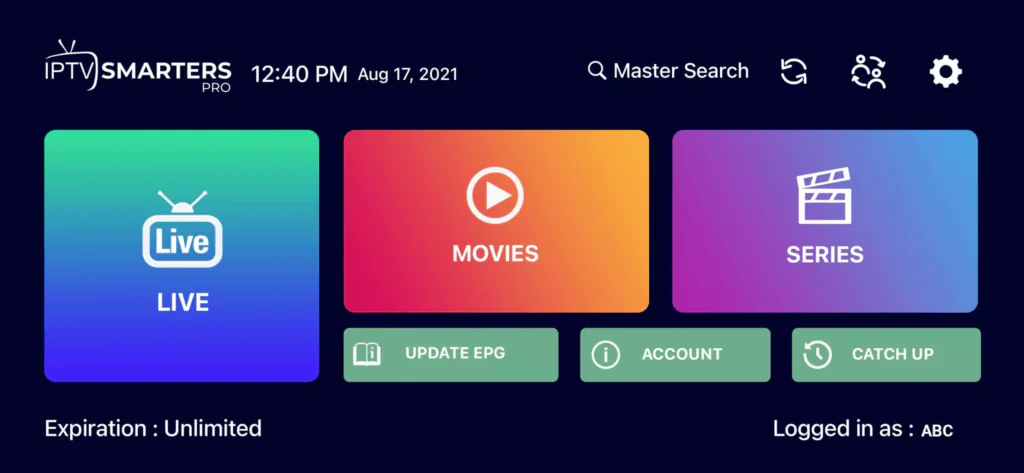
Step 5: Click on the “Live TV” icon as shown in the image.

IPTV Smarters Live TV

Step 6: Select the channel group you want to watch.

Step 7: Click on the channel name, then double-tap on the small screen to switch to full screen.

IPTV Smarters Channel View

How to install IPTV on Any Brand Smart TV

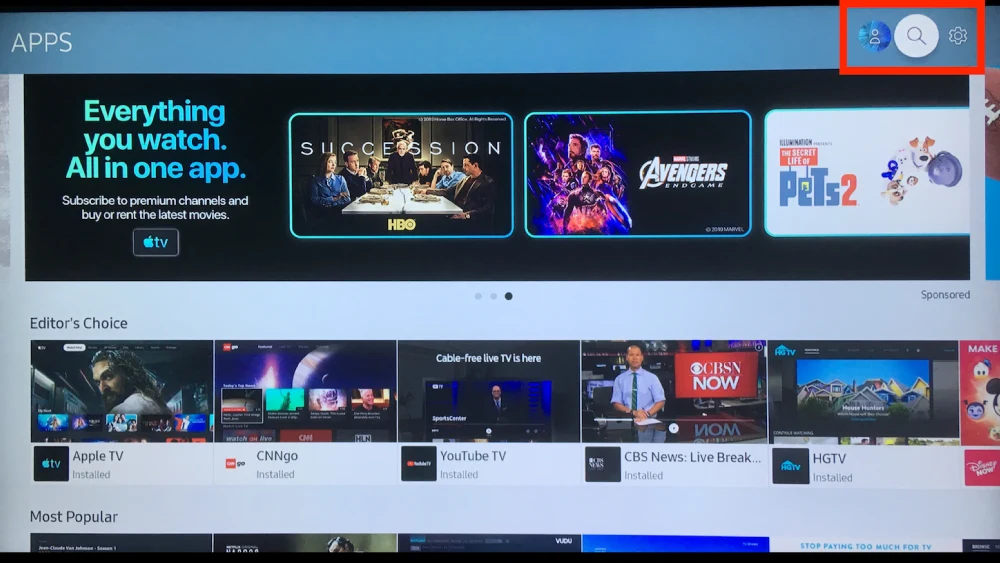
Step 1: Using your remote’s arrow buttons, highlight the magnifying glass icon or search feature, or go to the apps section to install apps.

Smart TV IPTV Search

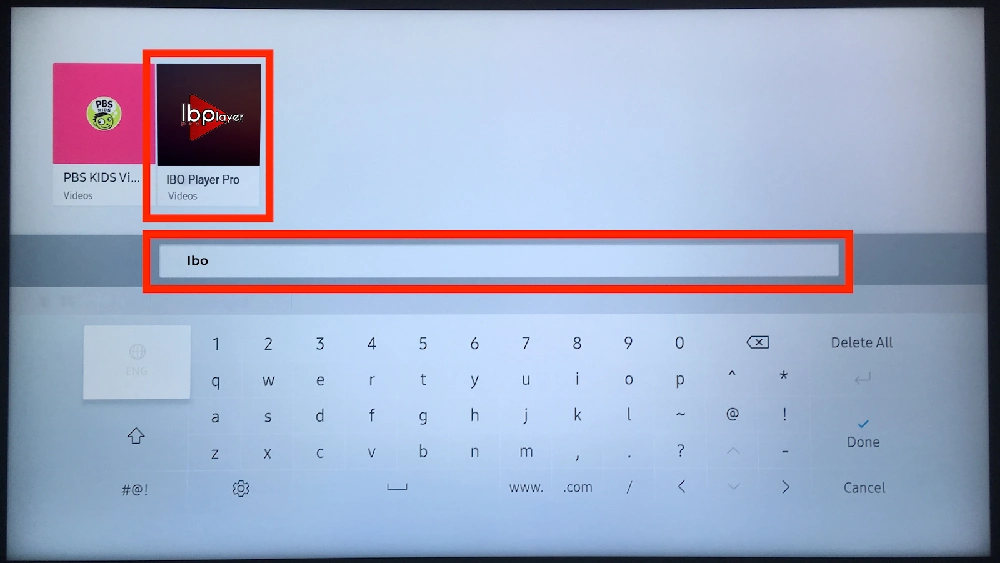
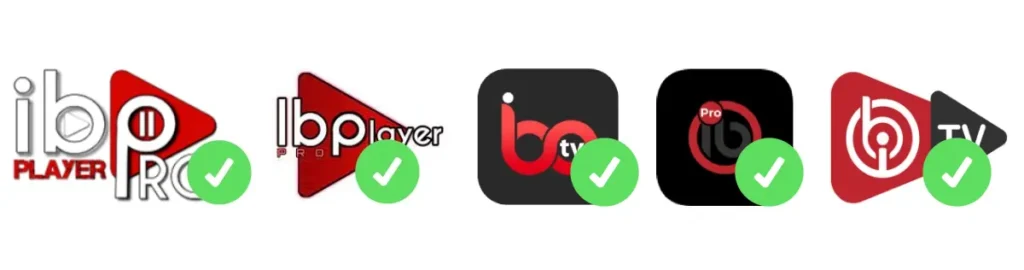
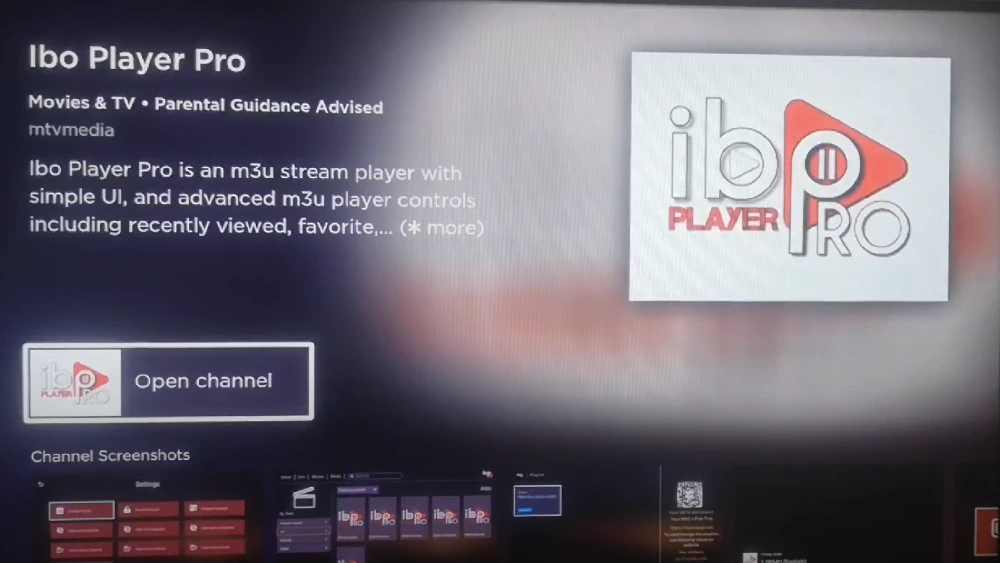
Step 2: Use the search feature to look for “ibo” and choose an app like the one shown in the second image.

Search ibo IPTV App
IBO Player Pro

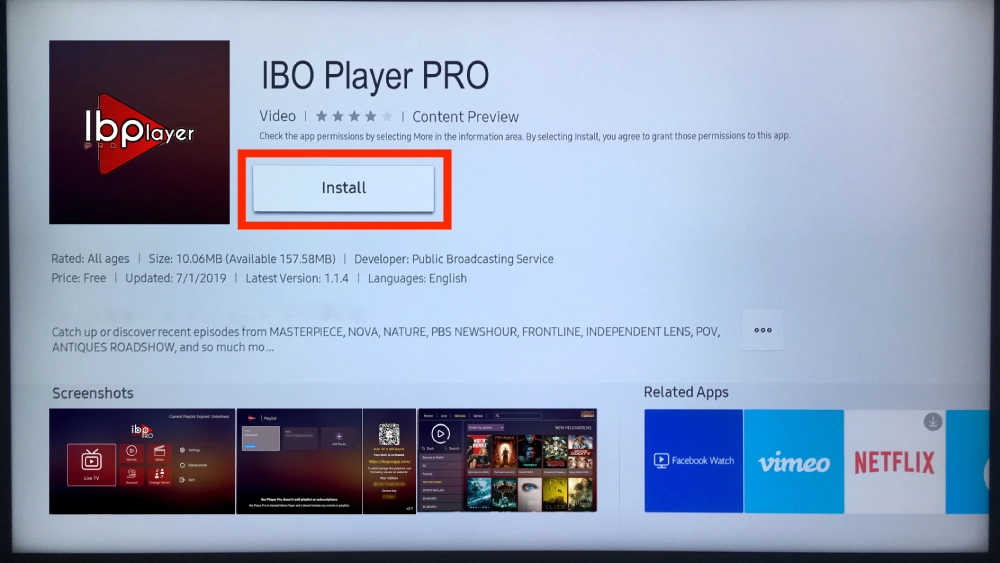
Step 3: Select the “Install” option in the center of the screen to install the app.

Install IPTV App on Smart TV

Once installation is complete, please subscribe if you haven’t already. After confirming your subscription (payment), we will guide you and help set everything up.

How to install IPTV on Any Roku Device

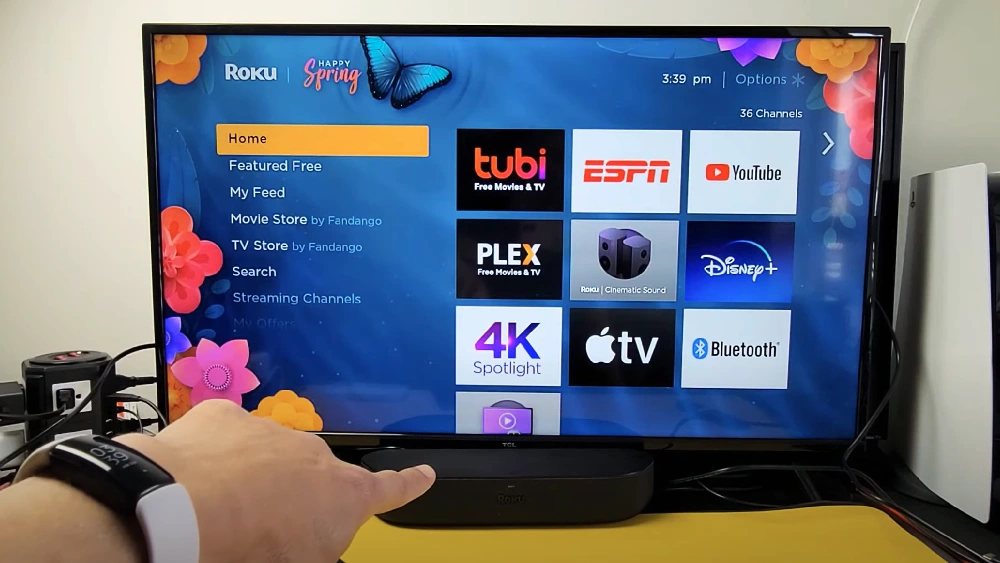
Step 1 : Go to your Roku home screen.

Roku Home Screen

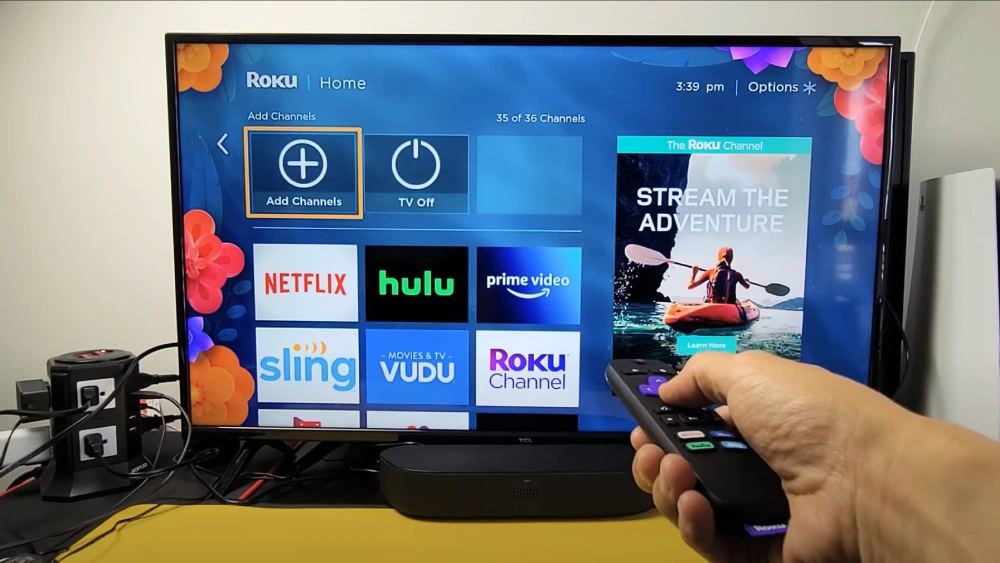
Step 2 : Select “Streaming Channels” from the sidebar to open the Roku Channel Store.

Roku Channel Store

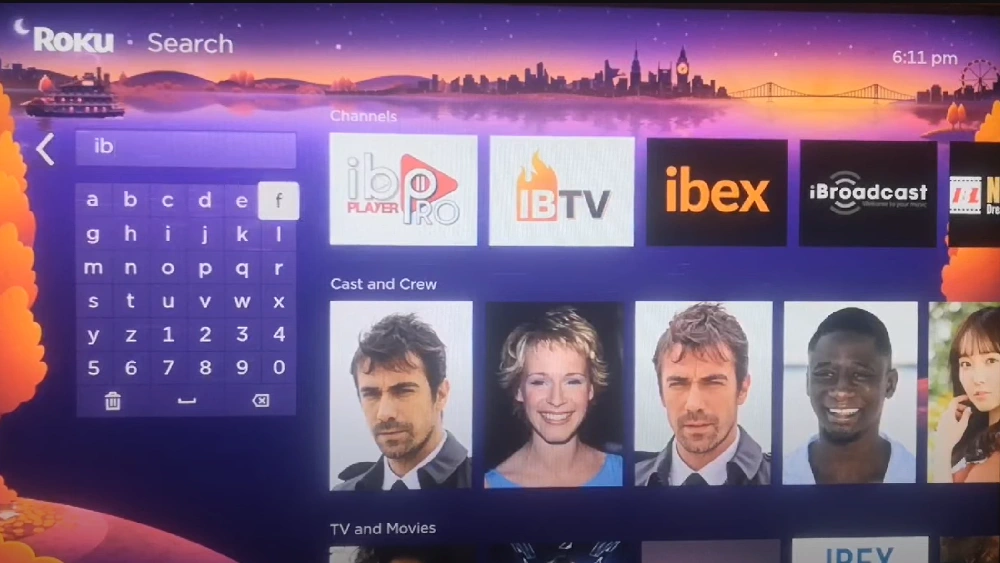
Step 3 : Use the search option and type “IBO Player Pro” to find the app.

Search IBO Player Pro on Roku

Step 4 : Let Roku download and install IBO Player Pro.

Installing IBO Player Pro on Roku

Once all is done, please subscribe if you haven’t already. Once we confirm your subscription (payment), we will guide you and install everything for you.

images

DOWNLOADS

DOWNLOAD OLD VERSION OF IPTV SMARTERS PRO – CLICK TO DOWNLOAD

Images Images